
Let’s be honest: carrying around a plastic remote for your driveway gate feels a bit outdated. We have smart locks, smart lights, and smart thermostats, yet many of us still rely on 1990s radio-frequency clickers to get into our own driveways.
If you’ve ever wanted to open your gate for a delivery driver while you’re at the office, or if you’re just tired of replacing batteries in lost remotes, you’ve probably asked: “Can I add WiFi to my current gate opener?”
The short answer is yes. You don’t need to rip out your expensive motor and buy a new “smart” one. You simply need a retrofit WiFi receiver.
In this guide, I’ll walk you through the most reliable, cost-effective way to get this done, focusing on a solution that integrates with the popular Tuya Smart ecosystem.
Why Retrofit Instead of Replace?
Before we look at the hardware, it’s important to understand the logic. Most standard gate openers (whether sliding or swing) operate on a simple trigger mechanism. When you press your remote, it closes a circuit on the control board (usually connecting a “Common” pin to a “Start” or “Open” pin).
To make your gate “smart,” we don’t need to change the mechanics. We just need a device that can “close that circuit” via a WiFi signal instead of a radio signal.
The Benefits:
- Cost: You spend under $50 instead of $500+ for a new motor.
- Convenience: Control your gate from anywhere in the world.
- Management: Grant access to family members via an app without buying extra remotes.
The Solution: ACCESS TECH Tuya Version Wireless Receiver
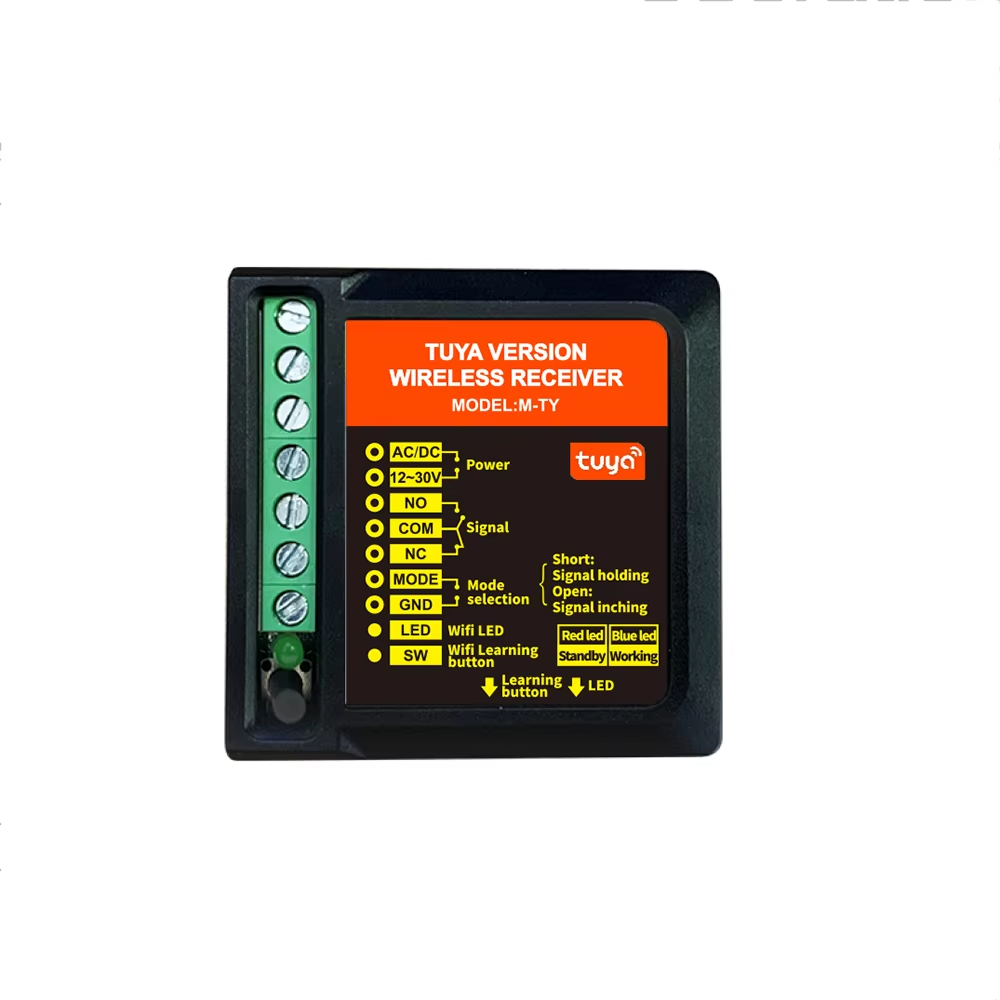
After testing various universal receivers, the standout option for ease of use and ecosystem compatibility is the ACCESS TECH Tuya Version Wireless Receiver.
Unlike generic receivers that require proprietary, clunky apps, this device operates on the Tuya platform. If you already have smart plugs or bulbs, you know Tuya is the industry standard for stability.
You can view the specific receiver here: 👉 ACCESS TECH Tuya Version Wireless Receiver
How It Works
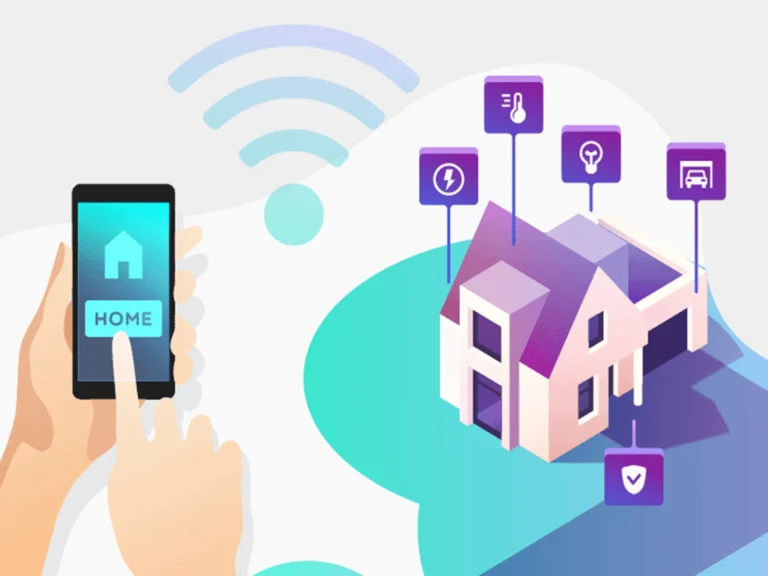
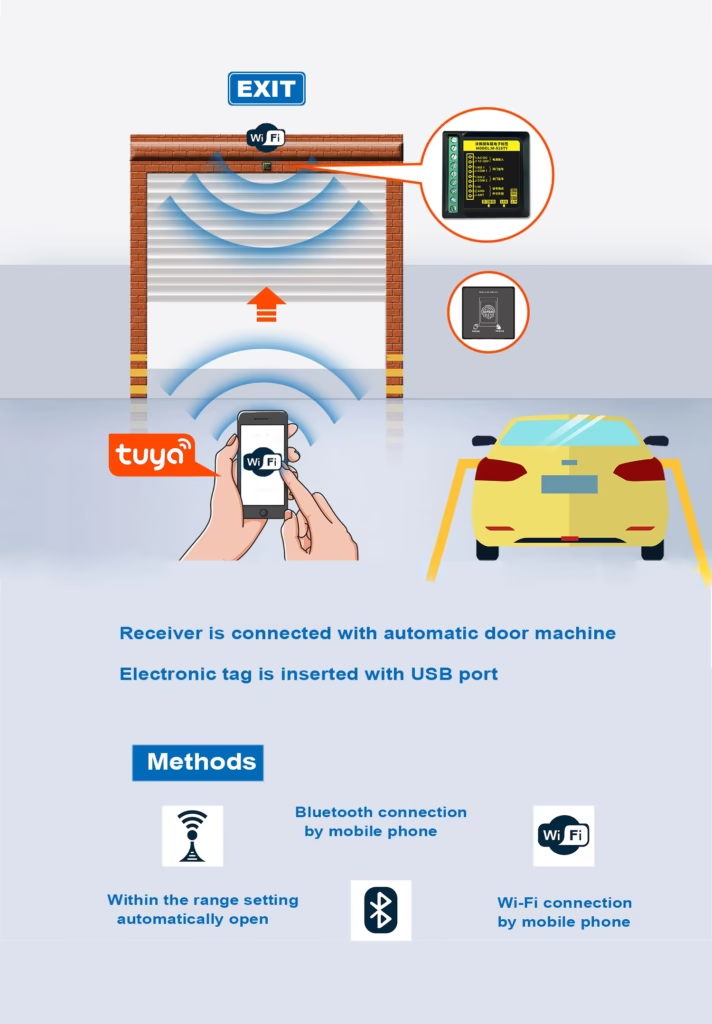
This receiver acts as a bridge. It connects to your home’s WiFi network (2.4GHz) and physically wires into your gate operator’s control board. When you tap “Open” on the Tuya App, the receiver sends a pulse to the gate motor, mimicking the push of a physical button.
Step-by-Step Installation Guide
Note: Always prioritize safety. Ensure the power to your gate opener is turned off at the breaker before opening the control box.
1. Check Your WiFi Signal
Before buying hardware, stand at your gate with your phone. Do you have a decent WiFi signal?
- Yes: You are good to go.
- No: You may need a WiFi extender or a mesh node closer to the garage/gate area. The receiver needs a stable connection to work.
2. Wiring the Receiver
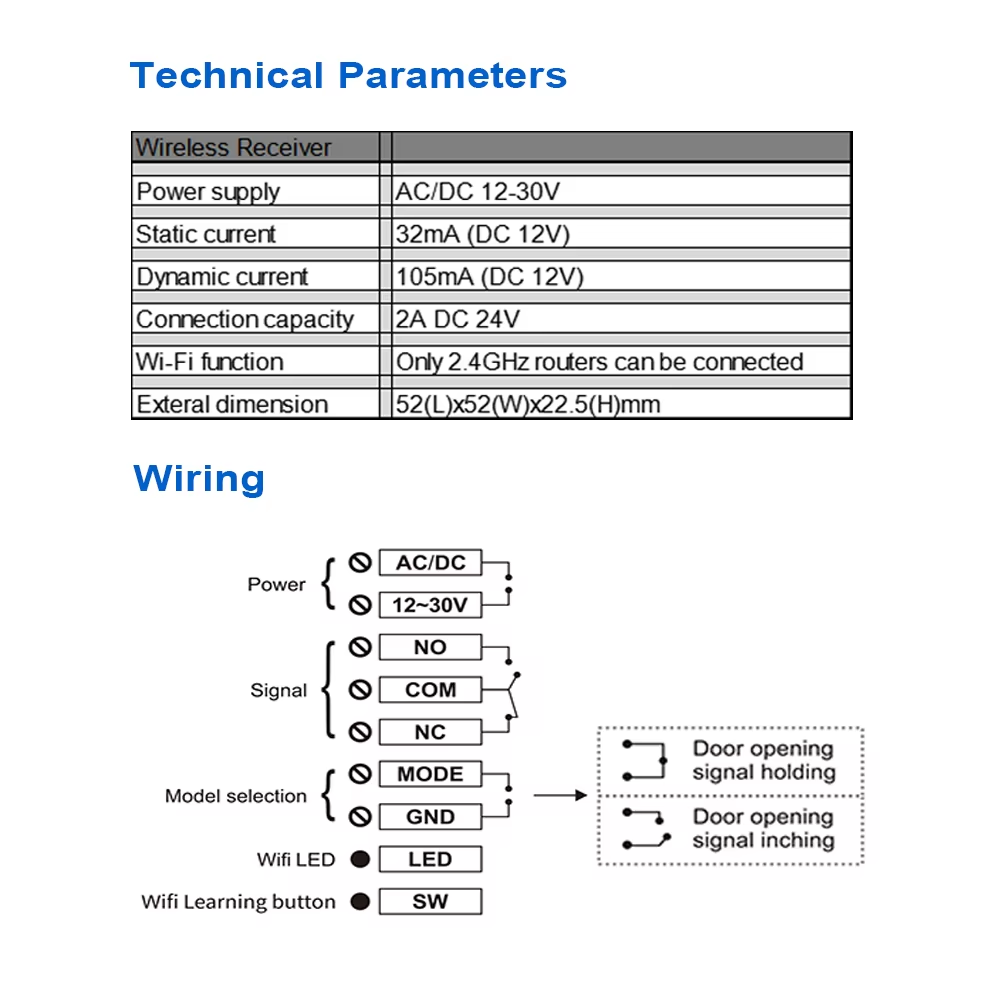
The ACCESS TECH receiver is straightforward because it usually requires just four wires:
- Power Input (Red/Black usually): The receiver needs power to run. Most gate control boards have an accessory power output (often 12V or 24V AC/DC). Connect the receiver’s power input here.
- Signal Output (Dry Contact): This is the “switch.” You will connect these two wires to your gate control board’s COM (Common) and START/OPEN (Normally Open) terminals.
- Tip: Look for the terminals where your wired push-button wall switch connects. That is exactly where this receiver goes.
3. The “Tuya Smart” App Setup
Once the device is wired and powered on:
- Download the Tuya Smart (or Smart Life) app from the App Store or Google Play.
- Create an account and log in.
- Tap the “+” icon to add a device.
- The app should auto-discover the new receiver (ensure Bluetooth is on to speed this up).
- Enter your WiFi password when prompted.
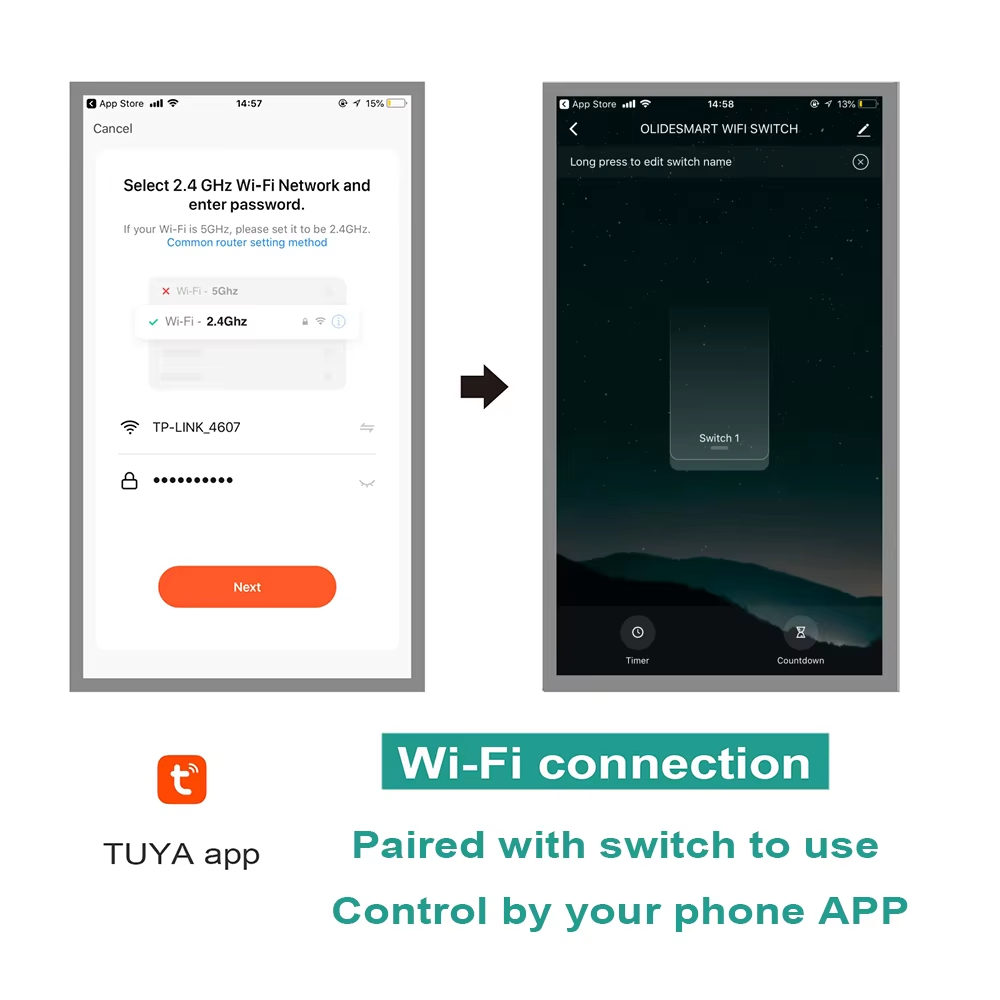
Once paired, your phone is now your remote.
What You Can Do With This Setup
Once you have the ACCESS TECH receiver installed, you unlock features that standard RF remotes simply cannot offer:
1. Remote Access
A courier calls you saying they have a package. You can open the gate from your desk at work, watch them drop it off (if you have a camera), and close it behind them.
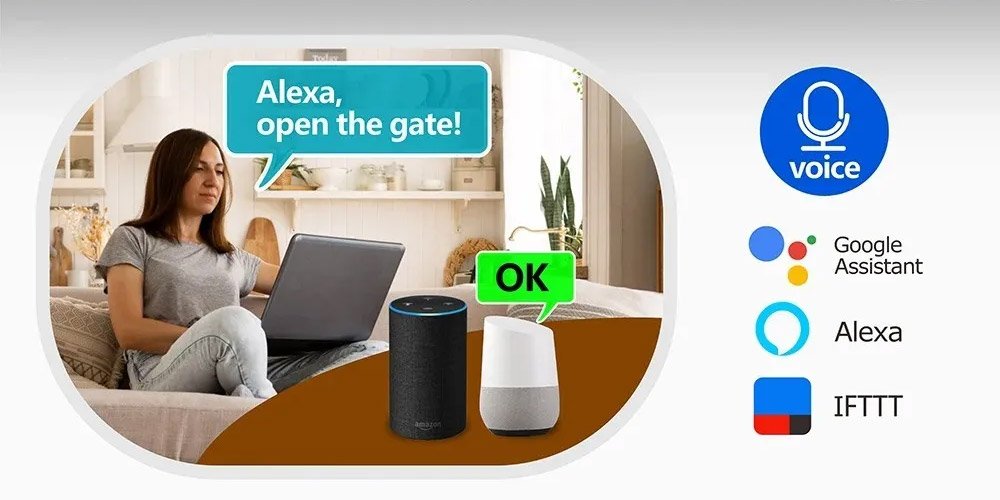
2. Voice Control integration
Because this uses the Tuya protocol, it bridges easily with Amazon Alexa and Google Assistant.
- “Hey Google, open the driveway gate.”
- (Note: You will usually need to set a PIN code for voice opening for security reasons).
3. Scheduled Timers
Do you always leave for work at 7:30 AM? You can set the gate to automatically open at 7:25 AM on weekdays, so you never have to wait for it to slide open.
4. Family Sharing
Stop buying $30 replacement fobs for your teenagers. Within the Tuya app, you can “Share Home” and give them access to control the gate via their own smartphones.
Technical Considerations
As someone who deals with electronics, a few technical notes will help ensure a successful install:
- Frequency Interference: This WiFi receiver operates on 2.4GHz. It will not interfere with your existing 433MHz handheld remotes. Both will work simultaneously.
- Enclosure: If your gate motor has a metal cover, try to mount the WiFi receiver’s antenna outside the metal box. A metal box acts as a Faraday cage and will block the WiFi signal. Plastic control boxes are generally fine.
- Power Compatibility: The ACCESS TECH receiver is versatile, but always double-check the voltage output of your gate board against the input range of the receiver (usually 12-24V) to prevent frying the unit.
Final Thoughts
Upgrading your home doesn’t always require expensive renovations. Adding WiFi to your gate opener is a high-impact, low-cost upgrade that adds real security and convenience to your daily life.
The ACCESS TECH Tuya Receiver is a solid choice because it relies on established software (Tuya) rather than a buggy, unknown third-party app. It’s a “set it and forget it” solution.
Ready to ditch the old clicker? Check out the receiver here: Shop Tuya Version Wireless Receiver